


Palace Solitaire - Card Games
4.9244.00 Reviews
App Specs
- Version
- 1.5.5.20260509
- Updated On
- License
- Free
- Downloads
- 1,000,000+
- Developer
- People Lovin Games
- Categories
- Card
- Platform
- Android, iOS
Screenshots
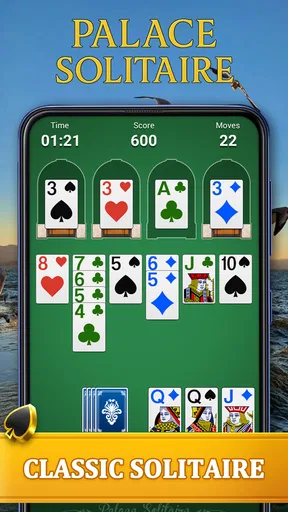
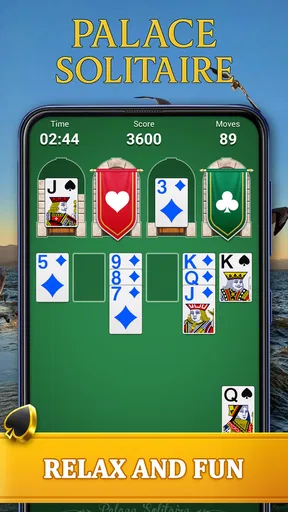
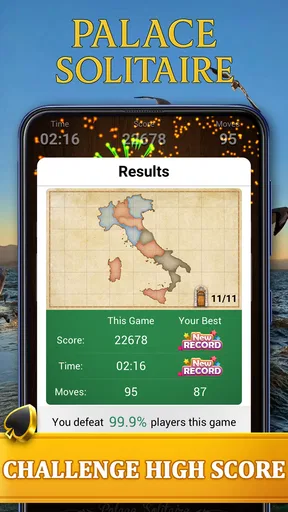
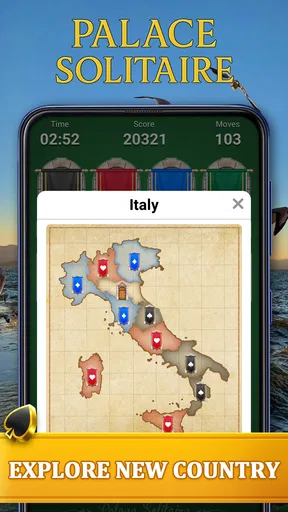
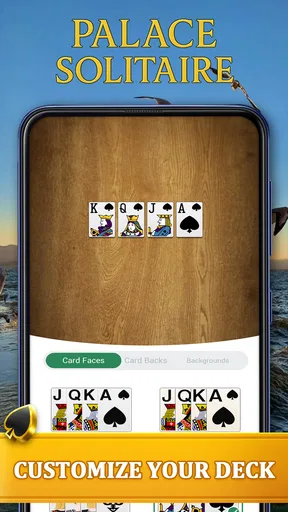
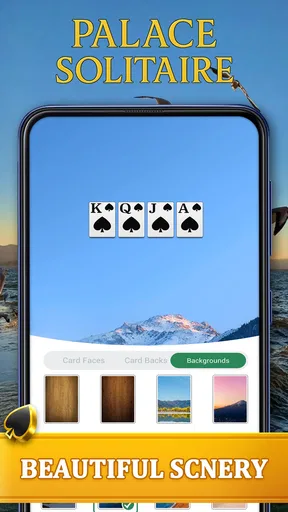
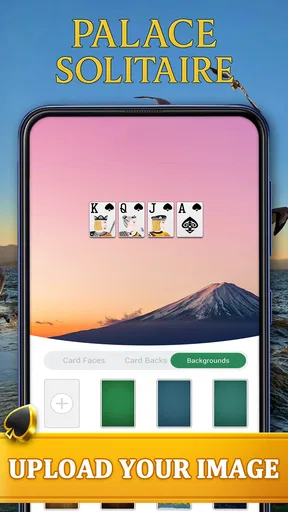
 Analysis by AppCompare
Some card games ask for constant attention, but Palace Solitaire is more comfortable when you want a quiet challenge that still gives your brain something to do. I spent time with this solitaire game from People Lovin Games and found its main appeal in the simple rhythm: look at the layout, decide which move matters, and keep the board moving without feeling rushed. It is free, rated for Everyone, and sits in the card-game category, so it is easy to understand even if you are not usually interested in larger strategy games.
The basic idea is familiar enough to start quickly, yet the palace theme gives the presentation more personality than a completely plain deck. The store summary describes it as a game about relaxing, strategizing, and ruling a card kingdom, and that is a fair description of the intended mood. I would not call it a deep competitive card battler. I see it more as a solo puzzle for short breaks, evening wind-downs, or those moments when I want something interactive but not socially demanding.
How clearly the game works for different players
I find the game’s clearest strength is that its challenge comes from reading a card layout and choosing a useful move, rather than reacting quickly. That makes it easier to approach at your own pace, though comfort still depends on how clearly you can see and select the cards on your device. From there, it helps to look at the small habits that make a round feel more deliberate.
Readability and navigation during a round
The strongest accessibility quality of a solitaire game is often clarity. In my experience, Palace Solitaire benefits from having one central task rather than a crowded collection of unrelated systems. You are looking at cards, checking possible moves, and planning a route through the layout. That makes the learning curve gentler than it would be in a collectible card game filled with card text, menus, currencies, and competing objectives.
I found the best way to approach a new deal was to pause before touching anything. Instead of immediately selecting the first available card, I scanned the whole arrangement and looked for moves that would uncover blocked cards or preserve useful sequences. This small habit matters because solitaire can appear random when the real difficulty is simply making a move too quickly. The game works better when treated as a visual puzzle rather than a reflex challenge.
Navigation is also easier when the player keeps a consistent reading pattern. I usually check the exposed cards first, then the face-down areas, and finally the remaining options. That routine reduces unnecessary tapping and helps distinguish a genuinely useful move from one that only looks attractive in isolation. For someone who finds busy interfaces tiring, a repeatable scan like this can make the session feel more manageable.
There is a useful difference between a game being simple and a game being readable. Palace Solitaire’s card-based structure is simple, but the player still has to interpret suits, ranks, covered cards, and available spaces. New players may need a few rounds before the board becomes instantly understandable. I would recommend beginning at a relaxed pace rather than trying to optimize every deal immediately.
Worth Reading Before You Choose

EA SPORTS FC Mobile 26 Is a Bigger Football Game, but It Takes Time

Flipboard Shows What News Apps Must Do Beyond the Feed

Switching to Android Auto Means Rethinking Your Driving Routine

Google Calendar Makes a Crowded Week Easier to Manage

Ludo King Makes the Most of the Minutes Between Plans

Baby Panda World Brings Quick Play to Modern Phones, but Its Game Library Feels Busy
The game has reached over a million installs and holds a 4.9 average from around sixteen thousand ratings, which suggests that its straightforward format is connecting with a broad audience. Those figures do not tell me that every player will find the presentation equally comfortable, but they do fit my impression that the central design is approachable. It feels made for people who want to play rather than study a complicated rulebook first.
Motor and sensory considerations
From a motor perspective, solitaire is generally less demanding than action games because success depends on selecting cards, not reacting to fast movement. That makes this a reasonable choice for players who prefer slower input. I could think through a move before committing to it, which removes the pressure found in games that punish a delayed response.
Still, card games are not automatically effortless for everyone. Repeated tapping, dragging, or selecting small areas can become uncomfortable, particularly during a long session. I found that shorter rounds were more pleasant than trying to play continuously for a long stretch. If your hands tire easily, using a stable grip and taking breaks is more practical than treating every deal as something that must be finished.
Visual attention is the larger consideration. A solitaire board asks you to compare several cards at once, notice what is hidden, and remember which spaces may become useful later. Players with reduced contrast sensitivity, difficulty distinguishing suits, or visual fatigue may find that the game demands more concentration than its calm theme suggests. I would test it in the exact lighting where you normally play, because a layout that feels clear indoors may be less comfortable in glare or dim light.
Sound is not central to the experience. That is helpful if you want a quiet game in a waiting room, beside someone who is sleeping, or during a commute. It also means the visual card layout carries most of the information. Players who rely on audio cues should not expect sound to replace the need to inspect the board. The game is fundamentally visual, and that is an important trade-off when choosing it for different abilities.
One practical tip is to avoid playing while multitasking with a video, conversation, or work task. Solitaire looks passive, but a missed card can change the whole route through a deal. I got better results when I treated each round as a small focus exercise. That approach also makes the game less frustrating for players who need a little extra time to process the board.
Situational access for everyday play
Palace Solitaire fits especially well into fragmented time. I can imagine opening it while waiting for an appointment, taking a short break from studying, or settling down before sleep. A card puzzle does not require the emotional investment of a story game or the coordination of a multiplayer match. You can play alone, stop thinking about it, and return later without needing to coordinate with anyone else.
That flexibility is one reason I would recommend it to people who dislike games that demand a fixed schedule. There is no need to gather friends, learn a large deck of special abilities, or keep up with a live event. The experience is self-contained and personal. For an older player who wants a familiar card activity on a phone, or for someone new to mobile games, that low social pressure can be a real advantage.
It also works in situations where attention comes and goes. If a notification interrupts a round, the underlying puzzle is usually easy to understand again after a moment. I would still avoid playing while walking, driving, or crossing streets, because a visual card game needs your eyes. On public transport, a seat with a steady view of the screen is much better than trying to play while standing and holding onto a rail.
For families, the Everyone content rating makes the game a more comfortable choice than card apps built around mature themes or aggressive competition. That does not mean every child will enjoy the planning involved. Younger players may understand the card movement quickly but become impatient when a deal requires several careful choices. I would introduce it as a calm puzzle, not as a fast reward-driven game.
The free price lowers the barrier to trying it, which matters when you are unsure whether solitaire will hold your attention. I could recommend installing it for a short test rather than making a larger commitment to a premium card collection. The sensible question is not whether it replaces every other game, but whether its quiet pace matches the moments when you need something uncomplicated.
Where the usual alternatives may be better
Compared with classic computer solitaire, Palace Solitaire feels more like a themed mobile pastime than a strictly utilitarian card tool. That can make it more inviting when a bare deck and empty background seem dull. On the other hand, players who want the most traditional presentation, extensive rule variations, or a highly customizable card table may prefer a dedicated classic-solitaire app.
It is also different from competitive card games such as poker-style apps or online collectible battlers. Those alternatives are better if you want bluffing, direct opponents, deck construction, or a strong sense of progression through competition. Palace Solitaire is the better fit when you want to make decisions without being judged by another player or forced to wait for someone else’s turn.
Compared with puzzle games based on matching colors or clearing tiles, the challenge here is more about sequence planning and card visibility. That gives it a slower, more deliberate character. If you prefer bright effects, rapid combos, and constant visual change, this may feel too restrained. If you enjoy recognizing patterns and protecting future options, the card format offers a more thoughtful kind of engagement.
I would also separate it from digital card collections that focus on building a powerful deck. Palace Solitaire does not appeal to me for customization or social competition; I open it for the immediate puzzle in front of me. That distinction helps avoid disappointment. Someone looking for long-term collection goals should choose a different type of card game, while someone who wants a clean solo activity may appreciate the narrower focus.
Remaining barriers and small sources of friction
The calm design does not remove the basic limitations of mobile solitaire. The board can still become mentally tiring when several possible moves look similar. A player who struggles with working memory may lose track of which cards were deliberately left available and which were simply overlooked. My advice is to slow down and use a consistent order of inspection instead of tapping around randomly.
Another limitation is that the game’s appeal depends heavily on enjoying repeated card puzzles. The palace theme adds atmosphere, but it cannot transform solitaire into a story-driven adventure. After several rounds, the structure may feel familiar. That repetition is soothing for some people and monotonous for others, so I would not recommend it to anyone who needs constant novelty or a changing narrative.
The latest listed version is 1.5.5.20260509, and the game supports devices running Android 6.0 or later. That makes it relevant to people who keep an older Android phone, although device age can still affect comfort in ways a compatibility label does not capture. A smaller display, worn battery, or less responsive touchscreen may make careful card selection harder even when the operating system is supported.
I would also be cautious about recommending it as a complete solution for players who need specialized accessibility controls. A simple card layout is helpful, but it is not the same as adjustable presentation, alternative input methods, or assistive technology support. If those tools are essential to your daily use, test the game directly on your device before relying on it. The right choice depends on whether the cards remain comfortable to see and select in your personal setup.
There is a subtle strategic barrier too: a move that is legal is not always a good move. Beginners may assume that every available action should be taken immediately, then discover that they have blocked a better route. I found that preserving flexibility was more valuable than chasing the first obvious placement. This is one of the game’s better lessons, but it can feel unfair until you understand that the puzzle rewards planning rather than speed.
Who I would recommend it to
I would recommend Palace Solitaire to anyone who wants a free, solo card game with a relaxed pace and enough decision-making to prevent it from becoming background noise. It suits players who enjoy traditional solitaire but want a more inviting mobile presentation, as well as people who need a short activity that can be started without preparation.
I would especially point it toward someone who gets overwhelmed by multiplayer pressure. You can take time to inspect the board, learn from an unsuccessful route, and build your own rhythm. That makes it a useful option for quiet evenings or low-energy moments when a more demanding game would feel like work.
I would not choose it for a child who wants rapid action, for a player seeking competitive matchmaking, or for someone who expects a large campaign with constant unlocks. I would also hesitate if visual card inspection is difficult on your phone and the display cannot be adjusted comfortably. In those cases, a larger-screen classic solitaire option or a game designed around simpler visual targets may be a better match.
People Lovin Games has kept the central experience focused, and that focus is both the strength and the boundary of the game. You are not installing a broad entertainment hub; you are installing a particular kind of card puzzle. Knowing that beforehand makes the decision easier and helps set the right expectations.
My inclusive verdict after playing
Palace Solitaire works because it respects a slower style of play. I like that the challenge comes from observation and planning rather than speed, noise, or competition. Its Everyone rating, free access, familiar card structure, and broad reach make it an easy game to try, while the themed setting gives the old solitaire formula enough character to feel at home on a phone.
Its accessibility is practical rather than comprehensive. The simple objective and unhurried decision-making can support many players and situations, but the experience still relies on comfortable visual reading and repeated touch input. That means the best test is personal: use the phone, lighting, and grip you normally rely on, then see whether the cards remain clear during a full round.
My final recommendation is positive, with a clear condition: choose it for calm solo strategy, not for variety, social play, or high-energy entertainment. I would keep it installed for waiting rooms, quiet breaks, and evenings when I want to occupy my hands without filling my head with noise. If you enjoy thoughtful card decisions and can comfortably read the board, this is an approachable palace worth visiting.
Pros
- Simple rules make it easy for beginners to start playing.
- Short rounds are convenient for quick breaks or casual sessions.
- Classic solitaire format offers familiar
- relaxing gameplay.
- Playable at your own pace without pressure from other players.
- Useful for improving focus
- patience
- and basic card-planning skills.
Cons
- Gameplay may feel repetitive after extended sessions.
- Random deals can occasionally create unwinnable or frustrating rounds.
- Limited social features may disappoint players seeking multiplayer interaction.
- Some features or content may require in-app purchases or ads.
- Small card details can be harder to read on compact phone screens.
FAQs for Palace Solitaire - Card Games
What is Palace Solitaire - Card Games, and how do you play it?
Palace Solitaire - Card Games is a casual solitaire-style card game built around arranging and playing cards according to the rules of its Palace variant. After installing it, I found the main appeal is its simple tap-based gameplay: you study the available cards, choose legal moves, and clear the layout strategically. It is easy to understand, but planning several moves ahead becomes important in later rounds.
Can Palace Solitaire - Card Games be played offline?
The game is suitable for short sessions when you do not have a reliable internet connection, although some features may depend on connectivity. Basic card gameplay generally works without needing constant access to the internet, while advertisements, online rewards, updates, or other connected services may require a connection. It is best to open the game once online after installation so its resources can load correctly.
Is Palace Solitaire - Card Games free to download and play?
Palace Solitaire - Card Games can generally be downloaded and played without an upfront purchase. However, the free version may include advertising, optional purchases, or extra features that are offered during gameplay. You can enjoy the core card experience without paying, but users who dislike interruptions should review the available settings and purchase information before spending money.
Is Palace Solitaire - Card Games suitable for beginners?
Yes, the game is approachable for beginners because its controls are based mainly on tapping cards and selecting available moves. New players may still need a few rounds to understand the Palace rules and recognize the best order for playing cards. The relaxed pace makes it easier to learn than many fast card games, while experienced solitaire fans can still enjoy the strategic decisions.
What devices and permissions are required to use the game?
Palace Solitaire - Card Games is designed for supported Android or iOS smartphones and tablets, but the exact operating-system requirements can change with future updates. Before downloading, check the official store listing for compatibility, storage needs, and the latest version. The game should not require unusual permissions for basic card play, although advertising or analytics services may request access related to app functionality.


